JavaScript Looping Techniques
A Beginner's Guide to for, while, and do-while in JavaScript
Happy New Year 🎉🎉
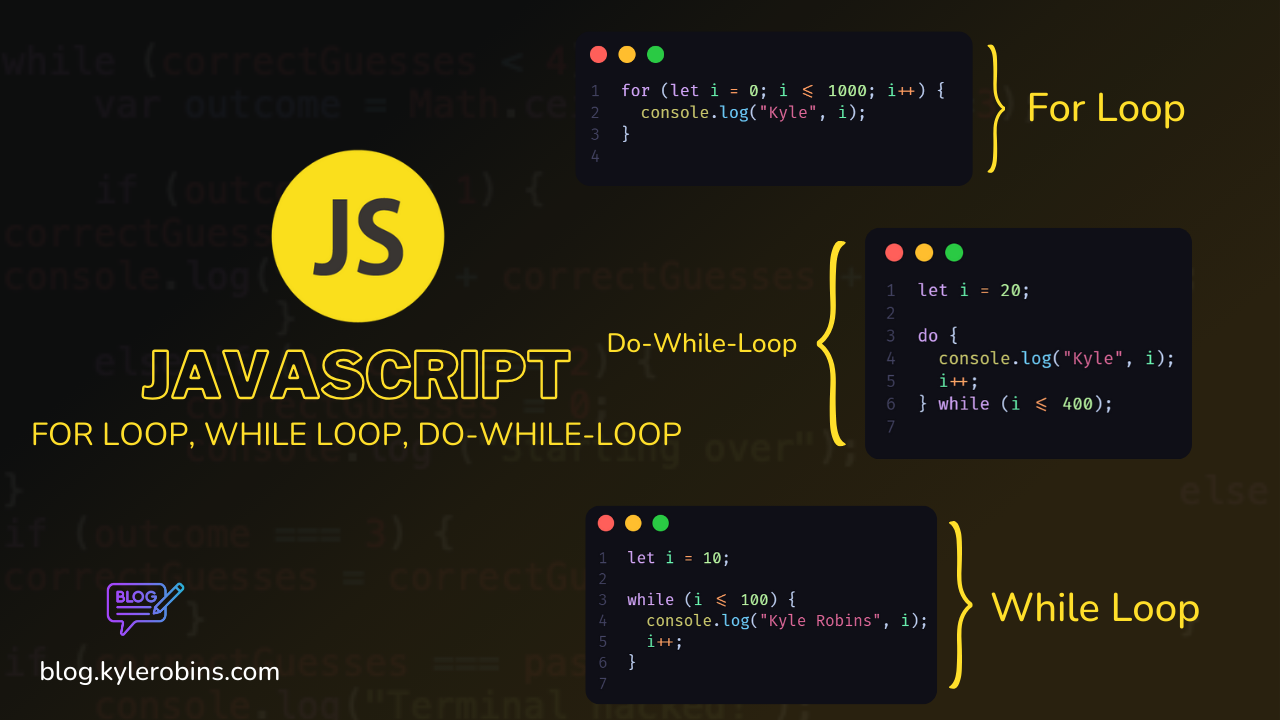
Hi there and welcome to another blog post. If you just started your coding journey or looking to strengthen your foundation, you're in the right place. Loops are fundamental to programming, and in JavaScript, we have three powerful companions: for, while, and do-while.
In this guide, I'll take you through the basics of these looping constructs. Whether you want to learn how to iterate through arrays, perform repetitive tasks, or enhance your code efficiency, I've got you covered, as we break down concepts, provide practical examples, and set you on the path to loop mastery. Let's dive in!
JavaScript For Loops
In JavaScript, a for loop is a control flow statement that allows you to repeatedly execute a block of code. It's commonly used when you know in advance how many times the loop should run.
Basic Syntax
for (initialization; condition; update) {
    // code to be executed
}
- Initialization: Executed once at the beginning of the loop. Typically used to initialize a counter variable.
- Condition: Evaluated before each iteration. If
true, the loop continues; iffalse, the loop exits. - Update: Executed after each iteration. Typically used to update the counter variable.
Example
for (let i = 0; i < 5; i++) {
    console.log(i);
}
This loop will output the numbers 0 through 4.
Breaking Down the Components
Initialization
let i = 0: Initializes a variableiand sets it to 0. This is the counter variable.
Condition
i < 5: Specifies that the loop should continue as long asiis less than 5.
Update
i++: Increments the value ofiby 1 after each iteration.
Code Block
console.log(i): Outputs the value ofito the console in each iteration.
Common Patterns
Looping through an Array
const array = [1, 2, 3, 4, 5];

for (let i = 0; i < array.length; i++) {
    console.log(array[i]);
}
This loop iterates through each element of the array.
Looping Backward
for (let i = array.length - 1; i >= 0; i--) {
    console.log(array[i]);
}
This loop iterates backward through the array.
Skipping Iterations
for (let i = 0; i < 5; i++) {
    if (i === 2) {
        continue; // Skips the rest of the code in this iteration and moves to the next
    }
    console.log(i);
}
Skips the iteration when i is equal to 2.
Breaking the Loop
for (let i = 0; i < 5; i++) {
    if (i === 3) {
        break; // Exits the loop when i is equal to 3
    }
    console.log(i);
}
Exits the loop when i is equal to 3.
Conlussion
For loops are powerful tools in JavaScript for iterating through sequences of data. Understanding their syntax and common patterns will help you write efficient and effective code.
JavaScript While Loops
In JavaScript, a while loop is another type of loop that repeatedly executes a block of code as long as a specified condition is true.
Basic Syntax
while (condition) {
    // code to be executed
}
- Condition: Evaluated before each iteration. If
true, the loop continues; iffalse, the loop exits.
Example
let i = 0;

while (i < 5) {
    console.log(i);
    i++;
}
This loop will output the numbers 0 through 4.
Breaking Down the Components
Initialization
let i = 0: Initializes a counter variableibefore the loop.
Condition
i < 5: Specifies that the loop should continue as long asiis less than 5.
Code Block
console.log(i): Outputs the value ofito the console in each iteration.i++: Increments the value ofiby 1 after each iteration.
Common Patterns
Infinite Loop
while (true) {
    // code that runs indefinitely
}
Be cautious when using an infinite loop and ensure there is a way to break out of it.
Looping through an Array
const array = [1, 2, 3, 4, 5];
let i = 0;

while (i < array.length) {
    console.log(array[i]);
    i++;
}
This loop iterates through each element of the array.
Breaking the Loop
let i = 0;

while (i < 5) {
    if (i === 3) {
        break; // Exits the loop when i is equal to 3
    }
    console.log(i);
    i++;
}
Exits the loop when i is equal to 3.
Skipping Iterations
let i = 0;

while (i < 5) {
    i++;
    if (i === 2) {
        continue; // Skips the rest of the code in this iteration and moves to the next
    }
    console.log(i);
}
Skips the iteration when i is equal to 2.
Conclusion
While loops offer a different way to create loops in JavaScript. Understanding their syntax and common patterns will help you write flexible and efficient code, especially when the number of iterations is not known in advance.
JavaScript Do-While Loop
The do-while loop is a type of loop in JavaScript that executes a block of code repeatedly until a specified condition evaluates to false. Unlike the while loop, the do-while loop guarantees that the code block will be executed at least once, even if the condition is initially false.
Syntax
do {
  // Code to be executed
} while (condition);
- The
dokeyword initiates the code block. - The code inside the block is executed once.
- The
whilekeyword is followed by the condition. If the condition istrue, the code block will be executed again. - The loop continues to execute as long as the condition remains
true.
Example
let count = 0;

do {
  console.log(`Count: ${count}`);
  count++;
} while (count < 5);
In this example, the loop will run five times, printing the value of count each time. Even though the condition is checked at the end of the loop, the code block is guaranteed to execute at least once.
Use Cases
User Input Validation:
let userInput;

do {
  userInput = prompt("Enter a number: ");
} while (isNaN(userInput));
This ensures that the user enters a valid number before exiting the loop.
Menu-driven Programs:
let choice;

do {
  console.log("1. Option 1");
  console.log("2. Option 2");
  console.log("3. Exit");

  choice = parseInt(prompt("Enter your choice: "));
} while (choice !== 3);
This keeps displaying a menu until the user chooses to exit.
Considerations
- Be cautious with the loop condition to avoid infinite loops.
- Ensure that the loop body modifies the variables involved in the condition to avoid an infinite loop.
You Have Reached the end of the Blog Post do follow and subscribe to the newsletter 📧 to get updates once I Upload Cheers 🥂
About the author
Hey Viewer, I'm Kyle Robins, Devops / Full-stack Engineer based in Nairobi Kenya. Am passionate about Web development & Content Creation.
Comments
Join the discussionNo comments yet. Be the first to comment.
JavaScript for beginners 2024
Embark on a journey into the heart of web development with my comprehensive JavaScript Basics Blogging Series. Whether you're new to coding or looking to solidify your foundational skills.